We will reply to your message within an hour.
Use color to identify equipment, materials, and documents at a glance.
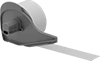
Easily peel these labels off when they’re no longer needed. Use them for color coding to identify equipment, materials, and documents at a glance.
Includes blue, green, red, and yellow labels for color coding to identify equipment, materials, and documents at a glance. These labels easily peel off when they’re no longer needed.
The adhesive on these labels withstands temperatures from -320° to 170° F.
A layer of aluminum foil in these labels will set off metal detectors if they fall into your food-processing line.
Use a permanent marker to write your message.
Protect messages from moisture and smudging with the clear laminating flap.
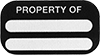
Write on these labels to mark equipment with a company name and address or ID number.
These labels cannot be removed without visible evidence of tampering—they rip and leave residue when peeled.
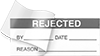
The messages on these labels clearly display the status of materials. Write additional information in the spaces provided with a permanent marker.
Write your information on these labels and then seal the laminating flap to protect your message from weather and tampering.
Choose from labels with numbers or days of the week to keep track of inventory.
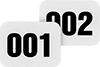
Mark items in a sequence with labels numbered 001 to 500.
Specify a custom message to identify equipment and materials, and we'll create a label for you.
Tape works with Epson label printers.
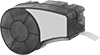
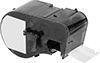
Refill the tape in your Brady BMP21 label printer.
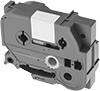
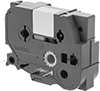
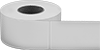
Make custom labels with your Brother P-Touch printer.
Use this tape with Sato Primark printers.
Create labels that wrap around cable and wire using your Brother P-Touch printer.
Run this tape through a Dymo embossing printer to create ink-free labels with raised characters.
Often used in plants that produce food or pharmaceuticals, this tape will retain your message even with regular power washing. Run it through your Brady M7-series printer to create custom labels.
Run this tape through your Dymo LabelWriter printer to make custom labels and receipts.
Designed for Dymo XTL label printers.
This label tape works with Dyno Rhino model printers.
Create labels using your Dymo LabelManager or LabelWriter printer.
This label tape works in Brady M710 printers.
Create labels using your Brady M4 or M5 printer.
Create custom labels with your Dymo LetraTag printer.
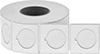
Print your own legend plates with any desktop thermal-transfer printer.
Use these labels with a thermal-transfer printer for smudgeproof results.
These labels peel off easily when they're no longer needed.
These labels are cleaned and double-bagged in an ISO Class 4 (Fed. Std. Class 10) clean room. Use them with a thermal-transfer printer for smudgeproof results, or write on them using clean room pens.
Label, rinse, repeat. These labels disappear after 30 seconds of contact with water, leaving no residue.